
Why WiFi Smart Home Devices Go Offline: Is It Related to Router Maximum Device Limits?
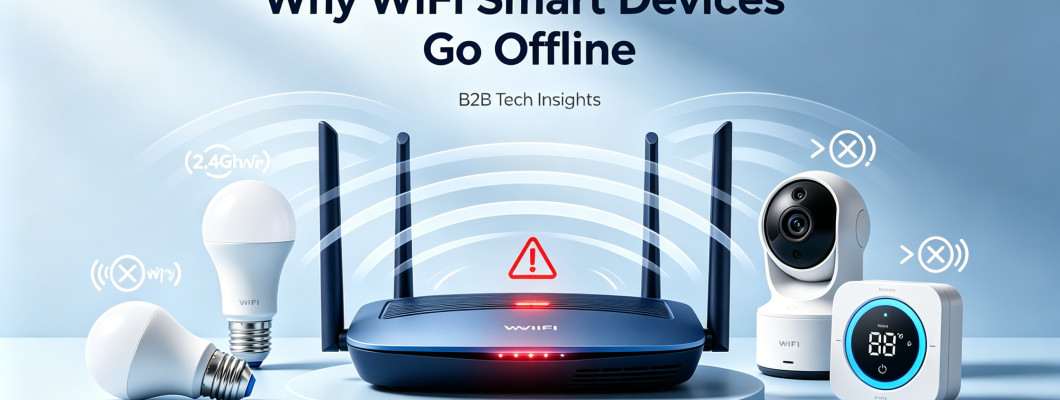
For B2B smart home stakeholders—OEM/ODM manufacturers, global importers, distributors, and system integrators—WiFi smart device disconnections are a persistent pain point. End-users frequently complain about smart plugs, bulbs, sensors, and cameras going offline randomly, often blaming device quality. However, the root cause is rarely the device itself; most offline issues stem from network-related factors, with one critical question looming: Does the maximum number of devices a router can connect to directly cause WiFi smart devices to go offline? This SEO-optimized blog breaks down the relationship between router device limits and WiFi smart device stability, provides data-backed insights for B2B operations, and offers practical solutions to reduce disconnections in mass deployments.
Common Reasons Why WiFi Smart Home Devices Go Offline
Nearly all WiFi smart home units (especially low-power IoT devices) rely on the 2.4GHz WiFi band, which is prone to instability due to its widespread use. Offline issues typically stem from five core factors, with router device limits being a key contributor:
2.4GHz Band Congestion and Interference
The 2.4GHz spectrum is overcrowded, shared by routers, Bluetooth devices, microwaves, cordless phones, and neighboring WiFi networks. This congestion leads to high packet loss, signal collisions, and weak signal-to-noise ratios (SNR)—especially in dense residential or commercial spaces. Unlike smartphones and laptops, low-power WiFi IoT chips have limited processing power, making them more vulnerable to interference, which often results in random disconnections.
Poor WiFi Signal Coverage
Smart devices are often placed in hard-to-reach areas—behind walls, in basements, garages, or far from the router. WiFi signals attenuate significantly when passing through walls, floors, or furniture; a 2.4GHz signal can lose up to 80% of its strength after passing through 1–2 walls, leading to unstable connections or complete offline status.
Router Band Steering Conflicts
Most modern routers feature “Smart Connect” or unified SSIDs, merging 2.4GHz and 5GHz bands into a single network. While convenient for smartphones and laptops, this causes issues for smart devices: the majority of WiFi smart units only support 2.4GHz. Routers may mistakenly steer these devices to the 5GHz band (which they cannot connect to), resulting in instant disconnection. Frequent band-switching attempts also confuse low-power WiFi chips, leading to offline errors.
DHCP IP Address Exhaustion
Routers assign IP addresses to connected devices via DHCP (Dynamic Host Configuration Protocol). Default DHCP pools are often small (50–100 usable IPs). When the number of connected devices exceeds this pool, no new IP addresses are available for additional devices. Routers may reuse IPs assigned to “sleeping” IoT devices (which enter low-power mode to conserve battery), causing IP conflicts that force devices offline.
Router Overload: CPU, Memory, and Connection Limits
This is the core focus of our analysis: the maximum number of devices a router can support stably directly impacts WiFi smart device connectivity. Routers have finite CPU, memory, and WiFi radio capacity; when overloaded, they struggle to maintain connections to all devices, leading to random disconnections.
Router Maximum Device Limits: Theoretical vs. Practical
Many B2B stakeholders misunderstand router device limits, assuming the theoretical maximum is achievable. However, there is a significant gap between theoretical and real-world performance:
Theoretical Maximum: 253 Devices
Most home and small-business routers use the 192.168.1.0/24 subnet, which supports up to 253 usable IP addresses in theory. This number is derived from the subnet’s design (2^8 - 2 = 254, minus one for the router’s gateway IP). However, this theoretical limit is never reachable in smart home environments—even with high-end routers.
Practical Stable Limits by Router Class
The actual number of devices a router can support stably depends on its hardware (CPU, RAM, WiFi chipset) and the type of traffic generated by connected devices. For B2B mass deployments (e.g., hotels, apartments, office buildings), understanding these practical limits is critical:
- Entry-level home routers (budget models): 10–15 devices (unstable above 20 devices)
- Standard dual-band routers (mid-range): 20–30 devices
- High-end consumer/WiFi 6 routers: 40–75 devices
- Enterprise/industrial routers: 100+ devices
Notably, the 2.4GHz band (used by most smart devices) has lower capacity than 5GHz. Many budget routers support only 16–32 stable connections on their 2.4GHz radio—well below the router’s overall theoretical limit.
Does Router Device Limit Cause WiFi Smart Home Devices to Go Offline?
Yes—exceeding a router’s practical stable device limit is one of the most common causes of WiFi smart device disconnections, especially in B2B mass deployment scenarios. When a router is overloaded:
- CPU usage spikes to 80%+ or higher, slowing response times to IoT devices and causing connection timeouts.
- The router actively drops “inactive” devices (e.g., smart sensors in low-power mode) to conserve CPU and memory resources.
- The 2.4GHz radio becomes unstable, with frequent reconnections and packet loss, leading to devices appearing offline.
- DHCP IP pools are exhausted, triggering IP conflicts that force devices to disconnect and fail to reconnect.
In real-world B2B projects—such as apartments with 30+ smart plugs, lights, and sensors connected to one router—10–30% of devices will experience random offline status daily. This is not a device quality issue but a result of the router being pushed beyond its stable capacity.
B2B Key Insights for Mass Deployment
For OEMs, importers, and system integrators, understanding the link between router device limits and WiFi stability is critical to avoiding customer complaints, reducing after-sales support costs, and optimizing product and network design:
- WiFi-only smart devices are highly dependent on network quality. Even well-engineered hardware will go offline if the router is overloaded or the 2.4GHz environment is poor.
- Router device capacity is a non-negotiable specification for B2B projects. Always match the router model to the number of smart devices (e.g., 50+ devices require WiFi 6 or enterprise-grade routers).
- 2.4GHz congestion is unavoidable in dense smart home environments. For large-scale projects (100+ devices), consider hybrid connectivity solutions (Thread/Zigbee + border routers) to offload low-power devices from WiFi.
- Device quality and network design are equally important. Optimizing WiFi antenna design and firmware reconnection logic can reduce offline issues, but only if the router is not overloaded.
Practical Solutions to Reduce WiFi Smart Device Offline Issues (B2B-Focused)
To minimize disconnections in mass deployments, B2B stakeholders can implement the following strategies:
Router-Side Optimization
- Separate 2.4GHz and 5GHz SSIDs (disable band steering) to ensure smart devices connect to the correct band.
- Expand the DHCP IP range (e.g., 192.168.1.2–254) and extend the IP lease time to 48–72 hours to reduce IP conflicts.
- Use WiFi 6 routers for projects with 40+ devices, as WiFi 6 offers better multi-device support and reduced congestion.
- Regularly update router firmware to fix stability bugs and improve IoT device compatibility.
Device-Side Best Practices (for OEMs)
- Optimize RF performance and WiFi antenna design during R&D to improve signal reception in weak or congested environments.
- Add intelligent reconnection logic in firmware to automatically reconnect devices after disconnections.
- Offer dual-protocol devices (WiFi + Thread/Zigbee) for high-stability applications, giving B2B clients flexibility in network design.
Network Architecture for Large-Scale Projects
- Deploy multiple routers or mesh WiFi systems for projects with 50+ devices to distribute the load.
- Use Thread border routers to offload low-power devices (sensors, locks) from WiFi, reducing congestion on the 2.4GHz band.
- Isolate IoT devices on a dedicated WiFi SSID to separate them from high-traffic devices (smartphones, laptops) and reduce interference.
Conclusion
WiFi smart home devices go offline due to a combination of 2.4GHz interference, poor signal coverage, band steering conflicts, IP exhaustion, and router overload. Among these factors, exceeding a router’s practical stable device limit is a major contributor—especially in B2B mass deployment scenarios. For B2B stakeholders, recognizing this relationship is key to optimizing product design, selecting the right router hardware, and implementing network architectures that ensure reliable connectivity.
By addressing router device limits, optimizing network settings, and prioritizing both device and network quality, OEMs, importers, and system integrators can reduce offline issues, improve customer satisfaction, and gain a competitive edge in the global smart home market.
Leave a Comment